
PortBIS User Guide
This guide focuses on PortBIS. Click on SmartImports to find the extended user guide.
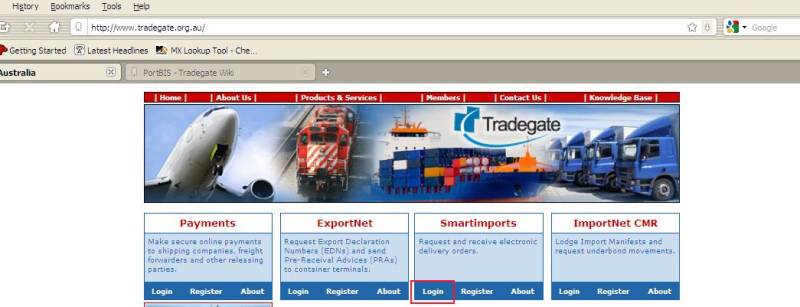
Log On
Go to www.commerceplus.com.au
Using your SmartImport details to logon.
Container Search
This function is used to find a container of interest and to add it to your watch list.
- Logon.
- Click on "Container Search" (in purple bar).
- Enter up to 10 container numbers, 1 on each line and click on "Search" button.
- The results are displayed below the search box.
- Click on the "+" to obtain more detail about the container.
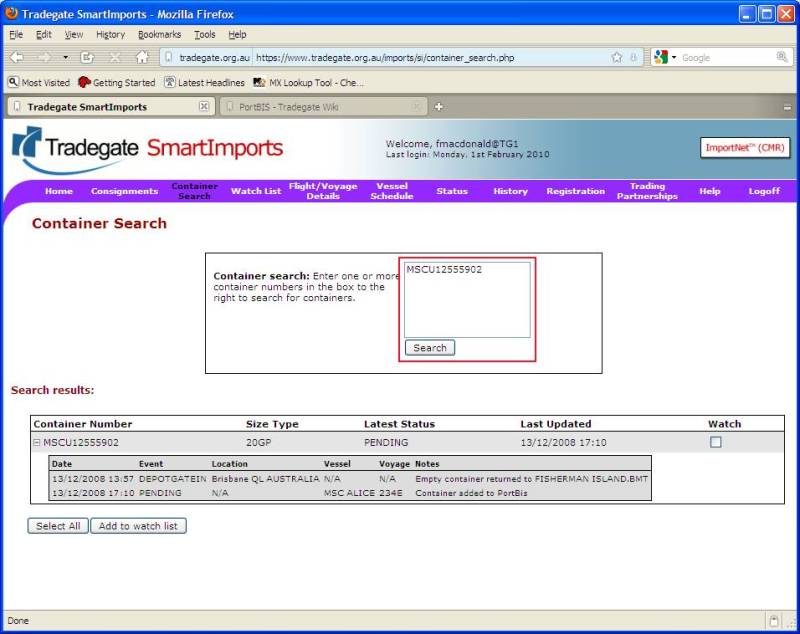
- To add a container to the watch list, tick the box on the right hand side of the screen under "Watch" and then click on the "add to watch list" button.
- You will be automatically taken to your watch list.
Watch List
This is a list of containers that you have expressed interest in. Every time information is given to PortBIS about the container, an email alert will be sent to you.
- Logon.
- Use the "Container Search" function in the purple bar to find and add containers to your watch list.
- To see the containers you are currently watching, click on "Watch List" in the purple bar.
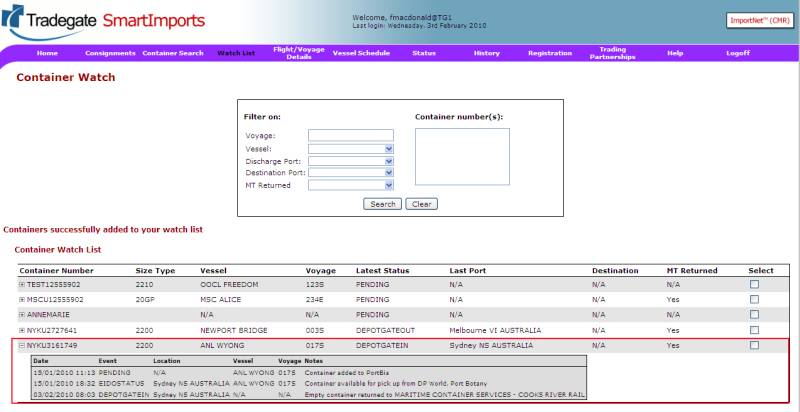
- To remove a container from the watch list, tick the box on the right hand side of the screen under "Select" and then click on the "Delete Selected" button.
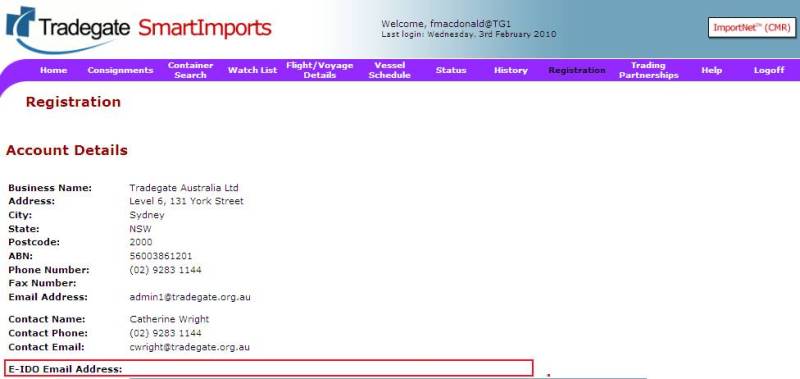
To find out which email address is used to send the alerts, click on "Registration" in the purple bar. The email used is the same as the E-IDO Email Address.
Vessel Schedule
Vessel schedule information is displayed by clicking on "Vessel Schedule" in the purple bar.
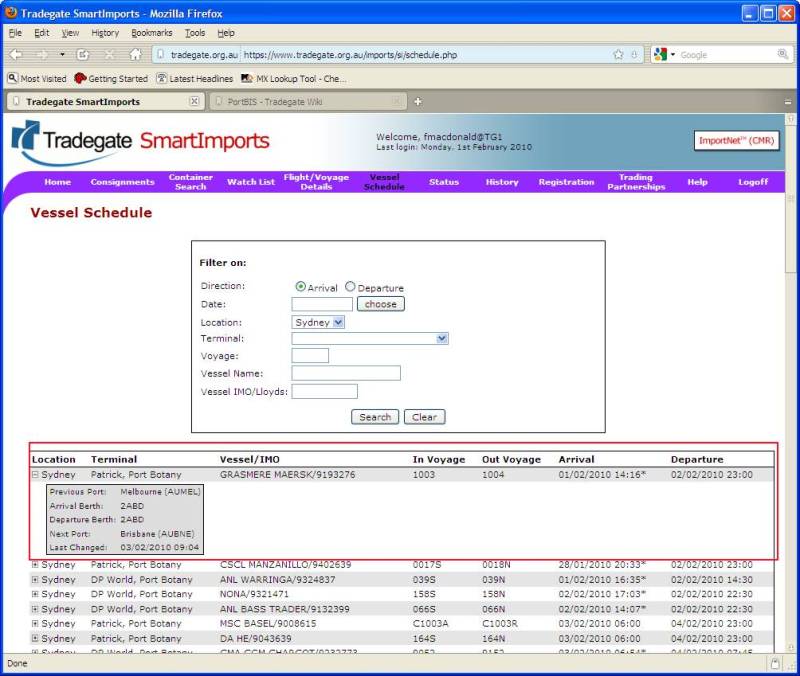
- Note: an "*" next to the time means the time is actual, not estimated.
- Click on the "+" to obtain more detail.